

A free online invitation can be made by choosing a design, adding the event details, and writing a personal note for your guests. A digital invitation with personal message can then be shared by email, text, or link for a personal or business event.
Include the occasion, date, time, and location, and explain how guests can RSVP. A few warm, specific words make the invitation feel personal, while a clear design keeps the details easy to find.
This guide covers what to include, how to tailor the message to different occasions, and how to share your invitation. You’ll also learn how animated digital cards can bring the feeling of opening a letter to a modern invitation.
Key Takeaways
- Shape the message around the occasion and your relationship with guests, then choose a design that lets the important details breathe.
- Pick an email, text, or shareable link based on how your guests are most likely to receive and open the invitation.
- For birthdays, housewarmings, and casual gatherings, plan to send invitations 2-4 weeks before the event.
- Explore animated invitation cards when you want your message to unfold with the warmth of opening a letter.
How do I create a free online Invitation?
Choose a design, add your personal message and event details, then share the invitation link by WhatsApp, text, email, or social media.
Choosing Invitation Templates
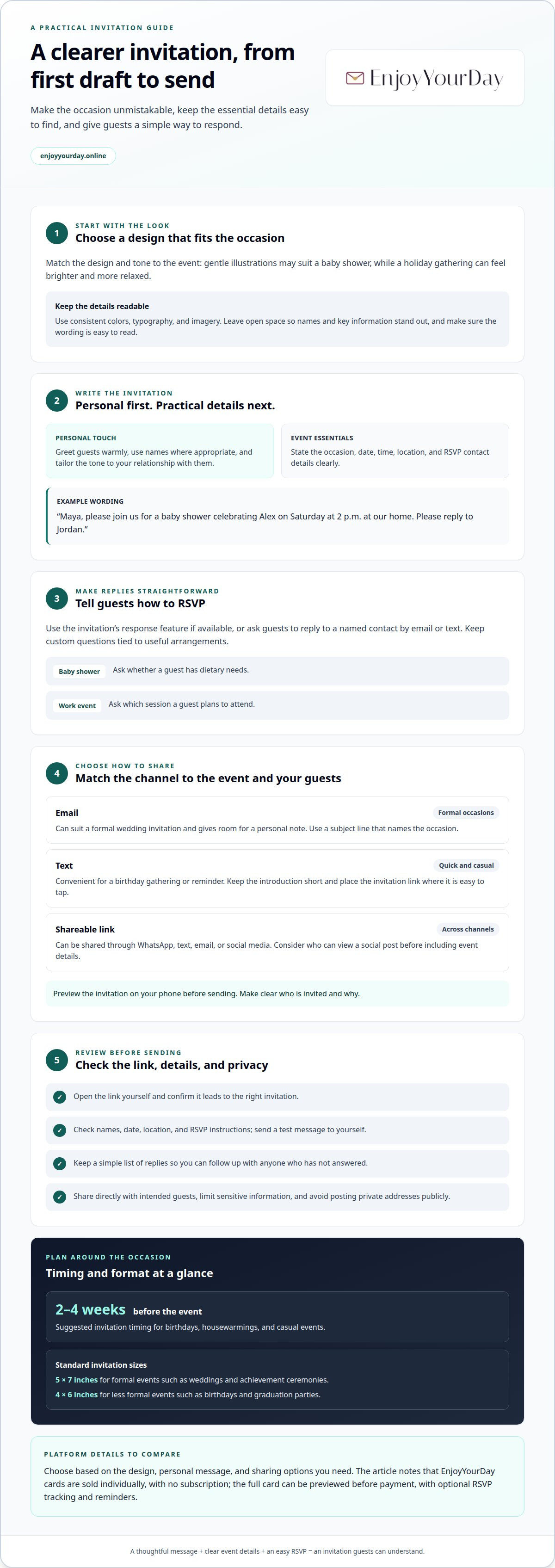
Choose a design that suits the occasion and tone. A baby shower might call for gentle illustrations, while a holiday gathering may feel brighter and more relaxed. Add your message and event details, then check that the wording is easy to read. Leave enough open space for names and key information to stand out.
Personalizing Invitation Text and Designs
Write a personal opening with each guest’s name, then state the event clearly. Add the date, time, location, and RSVP contact details. For example: “Maya, please join us for a baby shower celebrating Alex on Saturday at 2 p.m. at our home. Please reply to Jordan.” Adjust the design to match the message, using a warm color or a small illustration. Read every line before sending.
Adding RSVP Details and Questions
Choose an invitation service that lets guests respond in a way you can review. To track RSVPs, use its response feature if available, or ask guests to reply to a named contact by email or text. Keep custom survey questions tied to useful arrangements. For a baby shower, ask whether a guest has dietary needs; for a work gathering, ask which session they plan to attend.
Choosing a Platform and Reviewing Plans
Choose an invitation based on the design, personal message, and sharing options you need. EnjoyYourDay cards are sold individually, with no subscription. You can preview the full card before payment and add optional features, including RSVP tracking and reminders. Consider whether these tools fit the way you plan to collect replies and keep guests informed.
An invitation design can use an eye-catching color scheme, typography, images or illustrations, and white space. Consider how these elements work together as you make your choices: keep the visual treatment consistent with the occasion, and leave enough open space for the message and event details to remain clear. Review the design as a whole before sharing it.
Sending invitations by email, text, or link
Choose a sharing method your guests use. Email suits a formal wedding invitation and leaves room for a personal note. Text is convenient for a birthday gathering or a quick reminder. A shareable link works across channels, including WhatsApp, text, email, and social media. Preview the card on your phone before sending it.
For email, write a subject line that names the occasion, such as “Join us for Maya’s birthday.” Add a brief greeting and explain what guests will see when they open the invitation. For text, keep the introduction short and put the link where it’s easy to tap. A photo or animated design can add warmth, but make the event clear.
Social media can suit a casual holiday gathering, but consider who can view your post before sharing event details. WhatsApp and text messages let you send a link directly to guests, while email can feel more considered for a formal occasion. In every case, make clear who’s invited and why.
Before sending, open the link yourself and check that it leads to the right invitation. Confirm the names, date, location, and RSVP instructions, then send a test message to yourself. If guests need to respond, tell them how, such as replying to your email or using the invitation’s response option. Keep a simple list of replies so you can follow up with anyone who hasn’t answered.
Privacy concerns include a link being forwarded or a public post revealing event details. Share invitations directly with intended guests, limit sensitive information, and avoid posting private addresses publicly. If the invitation includes photos, choose images you’re comfortable sharing with its recipients. For a private celebration, a one-to-one email or message gives you more control over who receives the details.
Invitations for personal and business events
A birthday dinner, a housewarming, and a company reception call for different wording. Match the message, guest information, and design to the occasion.
Wording and Event Details
Start with a clear invitation, then tailor the next line to the event. For a dinner, write, “Join us for an evening together,” followed by the date, time, venue, and RSVP details. A business reception needs the organization’s name, purpose, location, and any arrival instructions. Use a design as a starting point, then make the key details easy to find.
Personal Message Etiquette
Digital invitation etiquette means greeting guests warmly and choosing wording suited to your relationship. Use a familiar greeting for close friends and a courteous tone for colleagues. Avoid sharing private guest information in a group message, and send an individual note when you want a more personal touch.
For birthdays, housewarmings, and casual events, send invitations 2-4 weeks before the occasion. An event page can gather practical information in one place, such as directions, parking notes, or a dress suggestion. Keep the guest list private, and make any updates clear so guests can rely on the latest details. A short reminder can repeat the date and venue without rewriting the full invitation.
Greeting cards and invitations serve different purposes. An invitation gives guests the gathering details; a greeting-card message shares a personal wish. For a baby shower, add a warm note alongside the practical information. For a business event, keep the invitation focused on attendance and use a separate note to thank guests.
For either kind of gathering, make the event unmistakable and place its date, time, location, and RSVP contact details where invitees can find them easily. Keeping these essentials clear helps guests understand what they are being invited to and how to respond. The design can suit the occasion, while the practical information remains easy to read.
A standard invitation size for formal events such as weddings and achievement ceremonies is 5 x 7 inches. A standard invitation size for less formal events such as birthdays and graduation parties is 4 x 6 inches. Choosing the format that matches the occasion keeps the invitation’s appearance aligned with its level of formality.
Online invitations and greeting cards
Online invitations and greeting cards may both appear on a screen, but they have different jobs. An invitation explains what’s happening and how to respond; a greeting card carries a wish, thank-you, or personal note. For a wedding, pair clear event details with warm words for the couple. For a party, keep the invitation information prominent and let your greeting add personality.
A free online design can bring both elements together. Choose a layout, add your wording, and upload a photo if your chosen service allows it. For example, a wedding invitation might open with “We’d love you to celebrate with us,” followed by the ceremony details. A separate closing message can add a personal touch without obscuring the practical information guests need.
Consider what guests should do after opening the invitation. If you want replies, make the RSVP request clear and explain how to respond. EnjoyYourDay’s optional RSVP feature lets you see guest replies. Keep any extra questions relevant to the occasion so the invitation still feels welcoming.
Before sending, read the invitation as a guest would. Check the names, event wording, and order of details, then open the shared link on your phone. Add a personal greeting when you send it by message or email, so recipients get both the invitation and a little context from you.
For a wedding or party, consider an animated card when you want the message to unfold like a letter. Explore animated online invitation cards for a personal way to share the occasion.
EnjoyYourDay: Birthday invitation cards
EnjoyYourDay creates animated digital invitation cards for birthdays, weddings, baby showers, baptisms, and other occasions. Each card opens like a real letter: an envelope appears on the screen, then reveals your message. Preview the full card before payment, then share its link by WhatsApp, text, email, or social media. Guests can open it on a phone or computer without an app.
Choose from 45 themes to find a design that suits your occasion. Add your own words, then share the invitation with guests. EnjoyYourDay is a natural choice when you want an online card that combines event details with a personal message, presented in a letter-like format.
Visit EnjoyYourDay online to explore its invitation cards.
Give your invitation a personal finishing touch
A personal line can make the invitation sound unmistakably like you. Before sharing, read it aloud and check that the greeting feels natural for the people receiving it. A digital invitation with a personal message carries your voice as well as the practical details. Choose wording that fits the moment, whether tender, joyful, or quietly formal.
Add a small detail guests will recognize, such as a favorite phrase or a warm note about gathering together. This thoughtful touch makes the invitation feel considered without crowding the design. Let the message set the mood for the occasion.
EnjoyYourDay offers birthday invitation cards, wedding invitation cards, and baby shower invitation cards. If you’re ready to create an invitation for your celebration, contact EnjoyYourDay about your invitation. May your message open the door to a lovely gathering.
Frequently Asked Questions
How to write invitation card?
Write a friendly opening, name the occasion, and close with a clear RSVP request. For a wedding, you might begin, “We’d be delighted to celebrate our marriage with you.” Add a sign-off from the hosts or couple. Keep the tone consistent, and read the wording aloud to catch anything stiff or unclear.
What do you include on an invitation?
Include the event name, host or honoree, date, time, venue, and RSVP instructions. Add useful context that could affect guests’ plans, such as a dress suggestion or entrance details. If a wedding reception is at a different venue, give that location separately. Arrange details in the order guests need them, from occasion to response.
Best websites and apps for digital invitations with personalized messages
Choose an invitation design that suits your occasion and lets you add a personal message. Consider how you’ll share the link and whether you want optional RSVP tracking or reminders.
Digital invitation platforms compared for customization and tracking
Compare platforms by how they handle design customization and RSVP tracking; services do not all offer the same tools. Check whether features you need, such as custom questions, are included in the plan.


