

An elegant wedding invitation suite can bring digital and printed styles together. Send elegant digital wedding invitations to some guests and printed invitations to others, or use both formats for the same celebration. Choose the approach that suits your guests’ preferences and the atmosphere you want to create.
It’s natural to want an invitation that feels personal, looks polished, and makes the details easy to share. A digital design can still feel graceful and special, while a printed card offers a familiar keepsake.
Here, you’ll learn what affects digital invitation costs, how to tailor the wording and design, and how to decide whether digital, printed, or a mix suits your wedding. You’ll also find ways to make the invitation a thoughtful first glimpse of the day.
Key Takeaways
- Assess the elements that shape invitation costs, then coordinate your invitation with save-the-dates and your wedding website.
- Choose wording, colors, and visual details that give your digital design a personal, polished feel.
- Decide whether digital, printed, or a mix of both best suits your guests and the tone of your celebration.
- Explore themed designs to find an invitation style that offers guests a graceful first glimpse of your wedding.
How much do online wedding invitations cost?
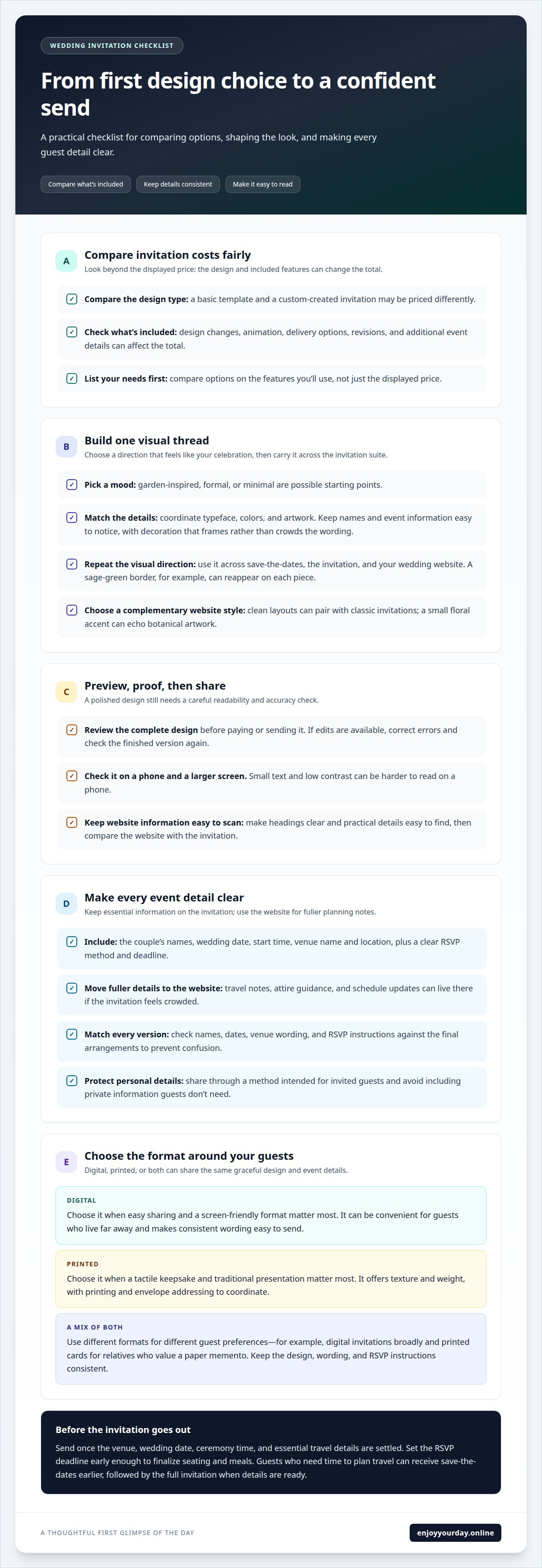
The cost of an online wedding invitation depends on the design and what it includes. A basic template and a custom-created invitation may be priced differently. Design changes, animation, and delivery options can also affect the total. Compare what each option includes, not only its displayed price. Check whether the price covers a single design, revisions, or additional event details, and avoid paying for features you won’t use. Listing your needs first makes it easier to compare options fairly.
Coordinate your invitation with save-the-dates and your wedding website before settling on a design. Choose a shared visual direction, such as botanical artwork, formal typography, or a restrained color palette, then carry it across each piece. A sage-green border on the save-the-date, for example, can reappear on the invitation and website. Use consistent names, dates, and venue wording. Keep the invitation focused on essential event information, and use the website for fuller details such as travel notes, attire guidance, and schedule updates.
A wedding website template can help tie the visual elements together. Choose typography and colors that complement the invitation instead of competing with it. A clean layout can pair well with a classic invitation, while a small floral accent can echo its artwork. Preview the template on a phone, where many guests may view it. Make headings easy to scan and practical details easy to find. Before sharing, compare the website and invitation to ensure names, dates, and venue information match.
Send invitations once the venue, wedding date, ceremony time, and essential travel details are settled. Set the RSVP deadline early enough to finalize seating and meals. Guests who need time to plan travel can receive save-the-dates earlier, followed by the full invitation once the details are ready.
- List the invitation features and design changes you need.
- Choose a visual theme, then apply it to save-the-dates and the website.
- Review every event detail before sending the invitation and RSVP request.
Digital wedding invitation design and customization
Start with the mood you want guests to feel. A few deliberate design choices can make an invitation feel personal and polished.
Invitation Design Customization
Choose a visual direction first, such as garden-inspired, formal, or minimal, then match the typeface, colors, and artwork to it. Arrange names and event details in a clear order, making the couple’s names easy to notice. Keep decorative elements from crowding the wording. A floral border, for example, can frame the text without competing with ceremony details.
Previewing Designs Before Purchase
Review the full design before paying or sending it. Read every line carefully, including names, date, time, venue, and RSVP instructions. Check the layout on a phone as well as a larger screen: small text and low contrast can be harder to read on a phone. If the preview allows edits, correct any errors and review the finished version again.
Available Online Invitation Designs
Online wedding invitation designs range from classic typography to illustrated flowers, modern shapes, and animated openings. Consider how each style suits the ceremony and reception, rather than choosing by appearance alone. A formal venue may suit restrained lettering, while a garden celebration could welcome botanical details. Keep the same visual thread across your invitation and related wedding materials. For an opening that feels like a letter, browse animated invitation designs.
Information to Include on Invitations
Include the couple’s names, wedding date, start time, venue name, and location. Add a clear RSVP method and deadline so guests know how to respond and when. If the invitation feels crowded, put travel details, attire guidance, or schedule notes on a wedding website. Before sending, check every detail against your final venue arrangements.
Digital invitations can expose personal details if shared too widely. Limit the message to necessary event information, and use a sharing method intended for invited guests. Avoid adding private details that guests don’t need to attend.
Digital versus printed invitations
Choose a format that suits your guests and the atmosphere you want to create. A digital invitation arrives by message or email; a printed card gives guests a physical keepsake. Both can share the same names, ceremony details, and graceful design. You can also combine formats, sending digital invitations broadly and printed cards to relatives who value a paper memento.
Digital invitations are easy to share with guests who live far away and make it simple to send consistent wording to each recipient. A printed invitation offers texture, weight, and a place on the mantel or in a memory box. It requires more coordination: finalize the wording, arrange printing, and address each envelope. Consider what feels meaningful, not just convenient.
Let guest preferences guide your decision. If older relatives prefer a card in hand, include them in a printed group. If friends are comfortable receiving event details on their phones, a digital version may suit them. For a mix, keep the visual design consistent. Shared illustrations, typography, and wording help both versions feel like part of one invitation suite.
- Choose digital when easy sharing and a screen-friendly format matter most.
- Choose printed when a tactile keepsake and traditional presentation matter most.
- Combine both when guests have different preferences or need different formats.
Compare the complete experience before deciding. Picture one guest opening a message on a phone and another unfolding an envelope at home. Consider how each format presents your design and reaches its recipient. If you use both, keep event details and RSVP instructions consistent to prevent confusion. The right format is the one that helps every guest feel welcome.
Elegant and themed invitation styles
An elegant invitation can feel distinctive without elaborate decoration. Start with the mood of your celebration, then choose one visual theme. A formal ballroom wedding might suit Art Deco lines and refined lettering; a relaxed outdoor ceremony could call for softer shapes and natural colors. Strong designs make the theme clear without crowding the event details.
Use a simple style test before choosing a design: consider the venue, season, and atmosphere, then select details that connect them. Classic typography and a restrained border may suit a historic venue, while clean lines and generous open space can complement a modern city celebration. Keep the main text easy to read, even when decorative flourishes set the tone.
Color can establish a theme while keeping the layout composed. Choose a main shade, a supporting shade, and a neutral background. Deep green with ivory can feel traditional; charcoal with a muted metallic accent can feel contemporary. Make sure the lettering stands out clearly against the background. Use decorative colors for borders or small details so they don’t compete with names and essential information.
Digital designs can bring an invitation to life with movement. An envelope opening before the message appears creates a letter-like first impression. Match the animation to the occasion: a gentle reveal suits a formal gathering, while brighter movement may fit a lively reception. Preview the sequence on a phone to make sure the message is easy to follow.
- Classic: restrained colors, traditional lettering, and balanced spacing.
- Modern: clean shapes, clear type, and a limited palette.
- Romantic: graceful details and a soft, cohesive color story.
- Playful: livelier accents that still leave event details legible.
Choose a theme that reflects your day, not just a passing trend. Explore wedding invitation designs to find a style that feels right for your celebration.
EnjoyYourDay: Birthday invitation cards
EnjoyYourDay creates animated wedding invitation cards for couples who want a digital invitation with a letter-like reveal. On a phone, the envelope opens to show the sender’s message, giving the announcement a personal first moment. Choose a theme that reflects your celebration and focus the message on the details guests need. The collection also includes birthday, baby shower, and baptism invitations.
For a warm, thoughtful presentation, explore EnjoyYourDay’s invitation themes and choose a design that suits your wedding. Visit enjoyyourday.online to view the invitation cards.
Choose the invitation that feels like your beginning
Your invitation is a first glimpse of the celebration you’re creating. Let it convey a feeling you want guests to remember, whether quiet romance, joyful anticipation, or graceful tradition. The right design should feel like yours before guests read the details.
Picture the message arriving on a guest’s phone. Consider which colors, movement, and tone would make it feel personal. Elegant digital wedding invitations can set a thoughtful mood and give your announcement a modern touch. Choose details that feel true to you as a couple.
When you’re ready to shape that first impression, contact EnjoyYourDay to discuss your wedding invitation. A considered design can make the beginning of your celebration feel every bit as meaningful as the day itself.
Frequently Asked Questions
Can I send both digital and printed invitations?
Yes, you can use both formats for one wedding. Keep a simple record of which guests receive digital invitations and which receive printed cards to avoid duplicates or missed households. Use consistent wording and RSVP instructions across both versions. If plans change, you can identify which guests need an update in each format.
Can guests RSVP directly through the invitation?
Guests can RSVP directly only if the invitation includes a response option. Otherwise, provide a clear reply method, such as responding to your message or using a separate RSVP form. Say what information you need, such as attendance and meal choice, and include a response deadline.
What if I need to update details after sending?
Send a clear correction to every invited guest affected by a change. Put the revised information first, such as a new ceremony time, then briefly explain what changed. If the venue changes, include its full name and address. Keep the original message for context, but make the corrected detail easy to spot on a phone.
What makes a digital wedding invitation elegant and formal?
Formal wording and careful presentation create an elegant impression. Use the couple’s full names, a gracious invitation line, and a consistent level of formality. Avoid shorthand, emojis, and casual greetings if they don’t suit the ceremony. For example, “request the pleasure of your company” feels more traditional than “come celebrate with us.”
How much do digital wedding invitations cost?
Digital invitation costs depend on the design and purchase model. EnjoyYourDay invitation cards are one-time purchases, with displayed prices varying by design. Compare the price of the specific design you choose rather than assuming every card costs the same. Consider whether its visual details and presentation suit your needs.
What are the privacy and security risks of digital wedding invitations?
Digital invitations can expose personal details if shared too widely. Include only necessary event information, and use a sharing method intended for invited guests.
